
Bulk provisioning
TBMQ provides a bulk import tool that lets system administrators manage large numbers of MQTT client credentials using a CSV file.
The import implements an upsert pattern: the system identifies existing credentials by Name. If a match is found, the entry is updated; otherwise, a new one is created.
Bulk import is available to the system administrator at Authentication → Client credentials →
Import Basic credentials, or over REST at POST /api/mqtt/client/credentials/bulk_import.
CSV file format
Section titled “CSV file format”Each line in the CSV file corresponds to one credential record.
The file must contain at least two columns and at least one data row, and every line must have the same number of
columns as the first one — a ragged line aborts the import with Invalid file format. Line: '<n>' before anything is
saved. Name is always required, along with Client ID or Username (or both) — Basic credentials with neither
are rejected.
The resulting Client ID / Username combination must also be unique across all client credentials, even though
the upsert key is Name. A row that would duplicate a combination already in use fails with
Such MQTT Client credentials are already created! when it would create a credential, or
New MQTT Client credentials are already created! when it would update one.
Example CSV:
| Name | Client type | Client ID | Username | Password | Sub auth rule patterns | Pub auth rule patterns | Description |
|---|---|---|---|---|---|---|---|
| Sensor_Device | DEVICE | sensor-01 | mqtt-user-01 | secretPass | sensors/1/data;sensors/all/data | sensors/1/cmd | Demo device client |
| Application_Manager | APPLICATION | app-mgr-01 | alerts/.* |
How the broker processes this file:
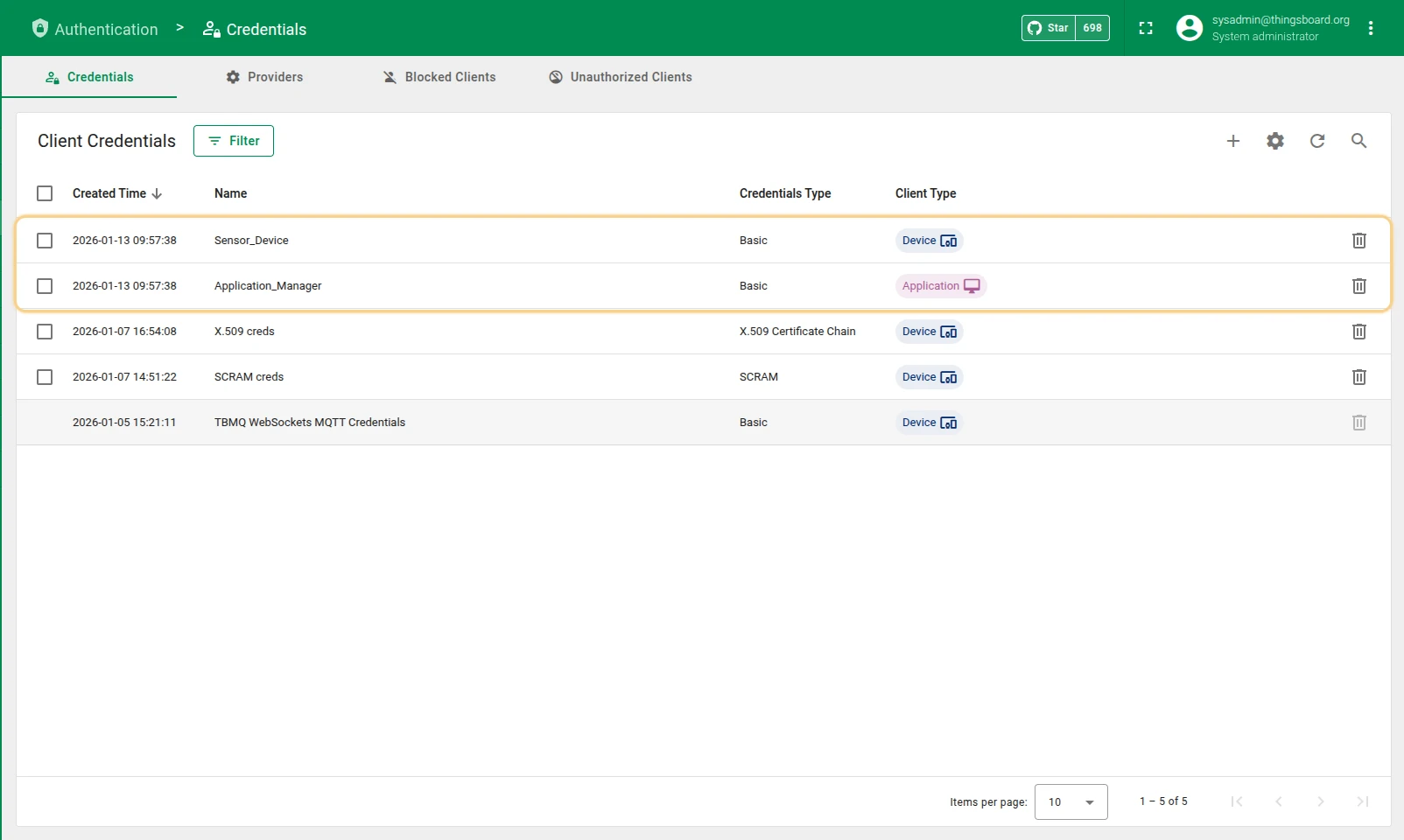
Sensor_Device — creates a new DEVICE credential using client ID sensor-01, username mqtt-user-01, and the description Demo device client.
The plain-text password is encoded on import. Subscribe and publish topic patterns are parsed using ; as the delimiter.
Application_Manager — creates a new APPLICATION credential with client ID app-mgr-01.
Username, password, and description are null because those cells are empty.
The subscribe auth rule pattern is null, which forbids all subscriptions.
The publish auth rule is set to alerts/.*.
Authorization rule patterns are regular expressions, not MQTT topic filters — alerts/.* matches any topic starting
with alerts/, whereas alerts/# would be read as a literal #. Each pattern is compiled on import, so a row with an
invalid expression fails. Client type values are case-insensitive, so device and DEVICE are equivalent.
Import steps
Section titled “Import steps”-
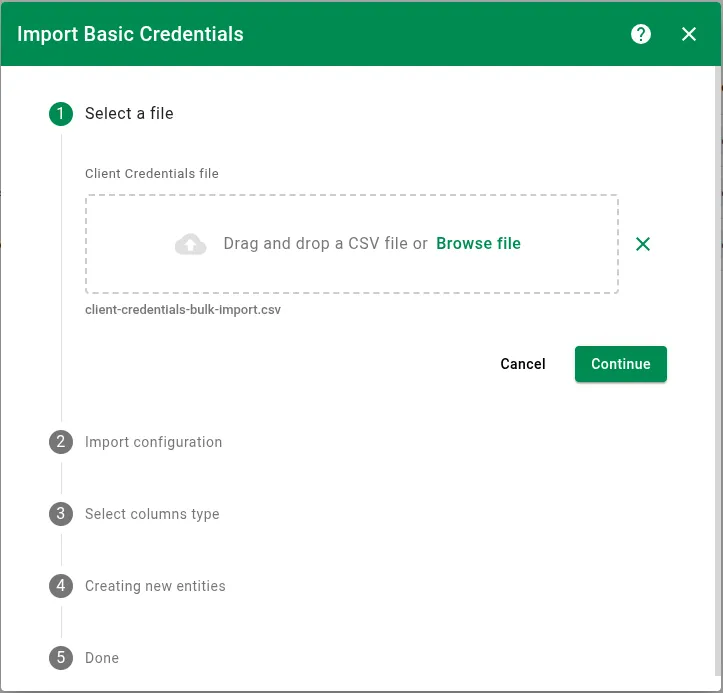
Select a file
Upload your prepared CSV file.
-
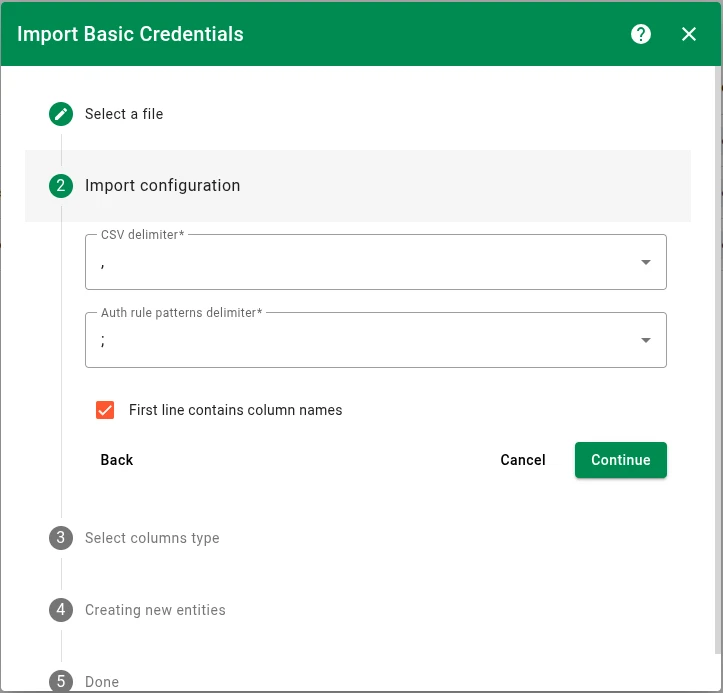
Import configuration
Configure how the system reads the file:
- CSV delimiter — the character separating values (
,,;,|, orTab). Defaults to,. - Auth rule patterns delimiter — the delimiter used to split multiple topic patterns within a single cell. Defaults to
;. Must differ from the CSV delimiter: whichever character one dropdown holds is greyed out in the other. - First line contains column names — enabled by default; when enabled, the first row is used for automatic column mapping in the next step.
Automatic mapping matches a header cell, case-insensitively, against the internal column name —
NAME,CLIENT_TYPE,CLIENT_ID,USERNAME,PASSWORD,SUB_AUTH_RULE_PATTERNS,PUB_AUTH_RULE_PATTERNS,DESCRIPTION. A friendly heading such asClient IDdoes not match and arrives as Not assigned, so map it by hand in the next step. With the option disabled, the first column defaults to Name, the second to Client ID, and the rest to Not assigned.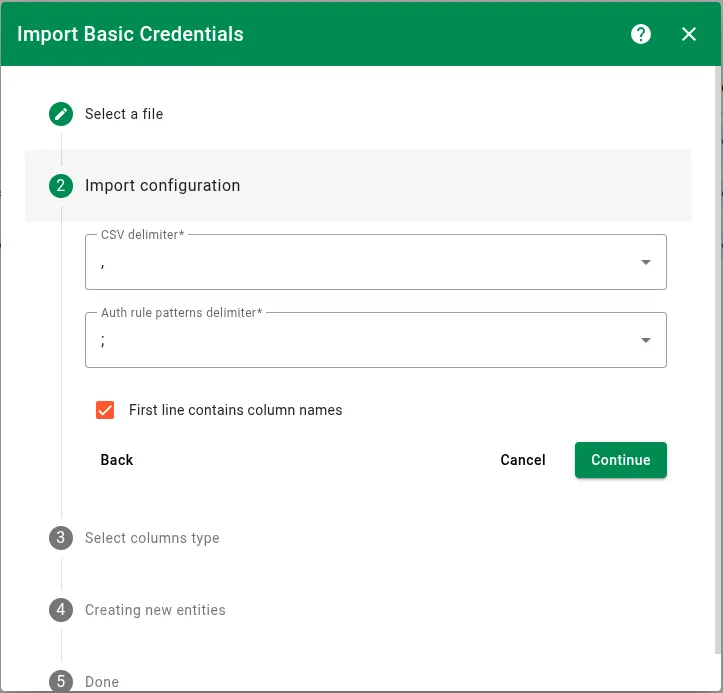
- CSV delimiter — the character separating values (
-
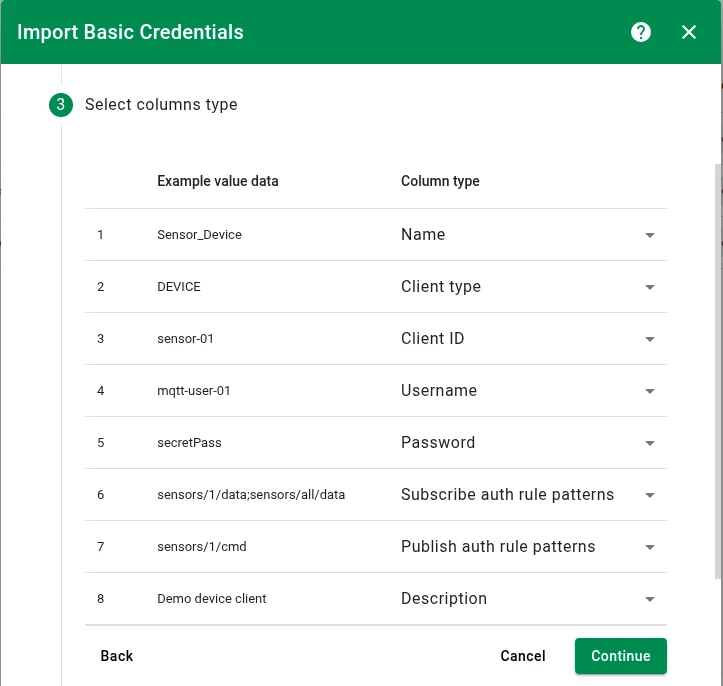
Select columns type
Assign a Column type to each CSV column:
- Name — required for identification and upsert logic.
- Client type —
DEVICEorAPPLICATION. Defaults toDEVICEwhen the column is absent. - Client ID — the unique MQTT client identifier.
- Username — the MQTT username.
- Password — the MQTT password, encoded during import.
- Subscribe auth rule patterns — regular expressions for allowed subscribe topics.
- Publish auth rule patterns — regular expressions for allowed publish topics.
- Description — optional description.
Every column must be assigned a type — a column left as
Not assignedblocks the step. Each type can be used only once; once assigned, it is greyed out in the remaining dropdowns. The step also requires Name plus Client ID or Username, and reports Columns Name and Client ID/Username are required until both are set. Because of this, the way to leave a field untouched is to omit its column from the file, not to leave it unassigned in the UI — see Data handling rules.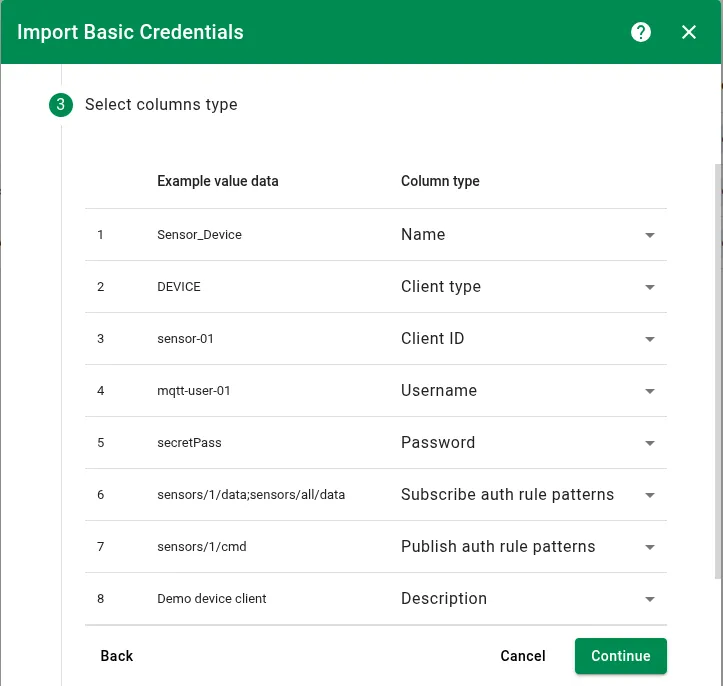
-
Creating new entities
The broker processes rows using your column mapping. Rows are independent and imported in parallel, so a failing row does not roll back or block the others.
-
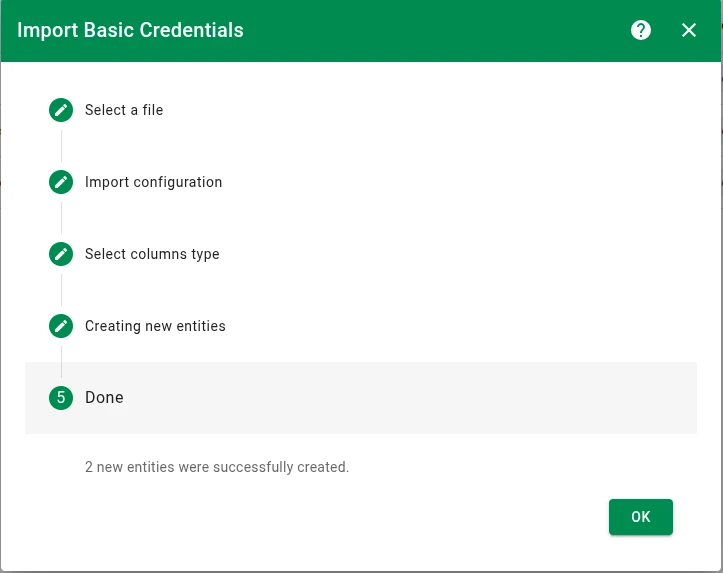
Done
A summary shows how many entries were created, how many were updated, and how many failed. Expand Details to see the failures, listed as
Line <n>: <reason>, so you can fix those rows and re-run the import — successfully imported rows will simply be updated in place on the second pass.
Data handling rules
Section titled “Data handling rules”- To update a field: Provide a new value in the corresponding CSV column — see the password policy below for exceptions.
- To preserve existing data: Omit the column from the file, or leave the cell empty — with the exception of authorization rule patterns, which follow their own policy below.
Empty cells are simply skipped: the field keeps whatever value it already had. Authorization rule columns are the one exception — for them, an empty cell is a meaningful instruction.
Password policy
Section titled “Password policy”Existing passwords are protected during bulk import:
- If a credential already has a password, it cannot be changed or cleared via bulk import.
- A password can only be set if the credential is newly created or if the existing credential has no password.
Authorization rule patterns policy
Section titled “Authorization rule patterns policy”For authorization rule columns, a column that is present with an empty cell means something different from a column that is absent from the file:
New credentials:
| Column state | Result |
|---|---|
| Column present, cell empty | Authorization rule set to null — forbids all topics |
| Column absent from the file | Authorization rule set to .* — allows all topics |
Existing credentials:
| Column state | Result |
|---|---|
| Column present, cell empty | Authorization rule updated to null — revokes all permissions |
| Column absent from the file | Authorization rule preserved — existing permissions unchanged |
Was this helpful?