
Users
TBMQ provides a single user role: Administrator. Administrators have full permissions to create, update, and delete user accounts.
User management can be performed through the Web UI or REST API.
Add user
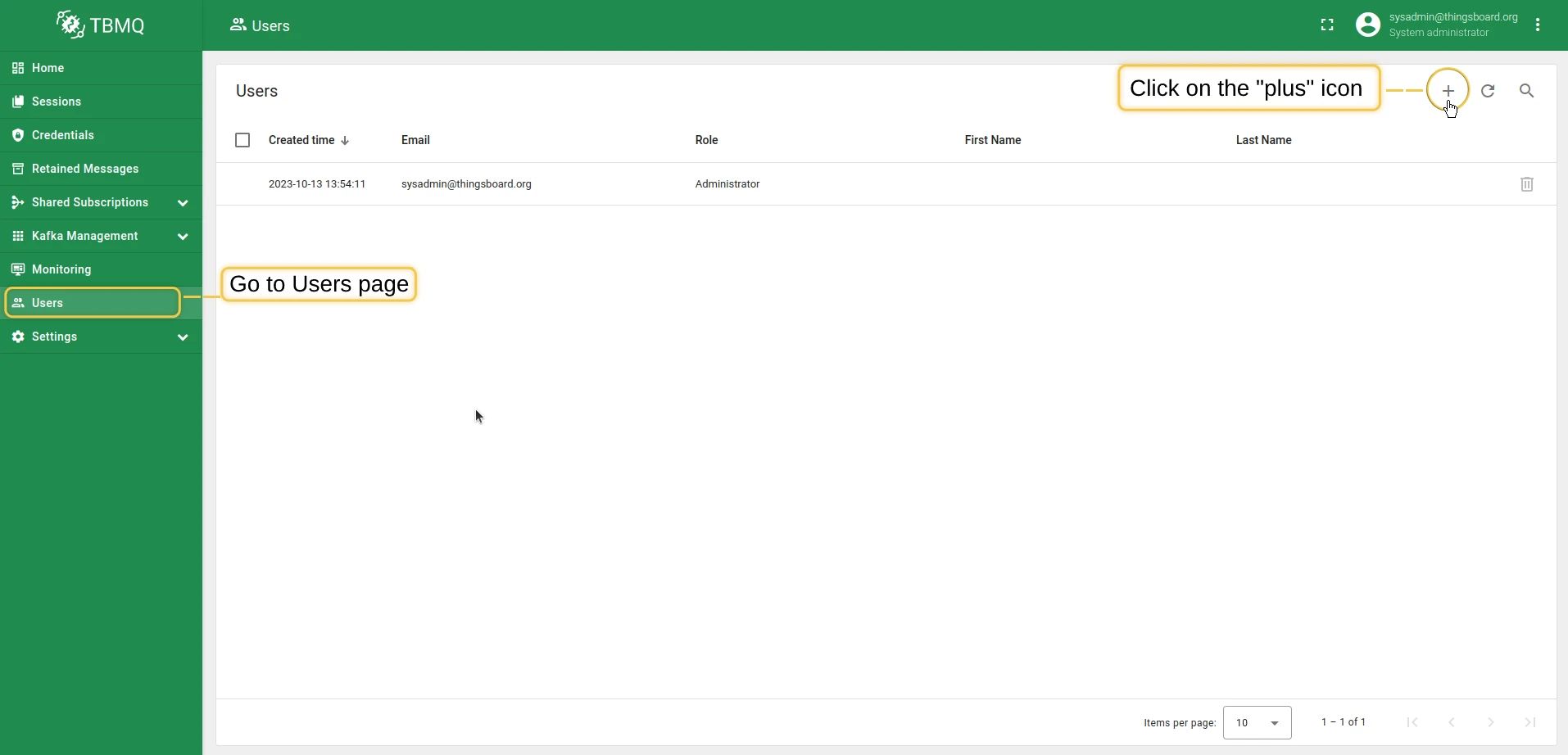
Section titled “Add user”- Click Users in the left-hand menu, then click the plus icon.
- Provide the user’s email address (must be unique). First name, last name, and description are optional. Click Add.
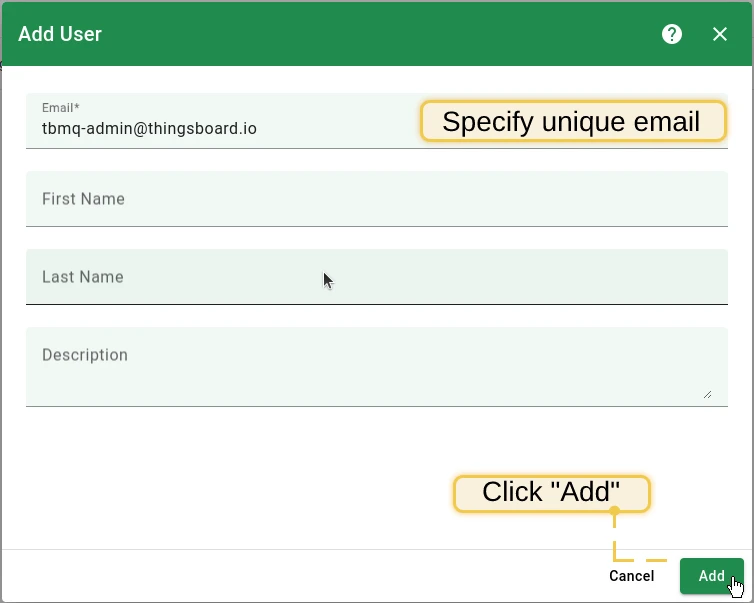
All new users are created with the default password sysadmin. Users are prompted to change it on first login.
Edit user
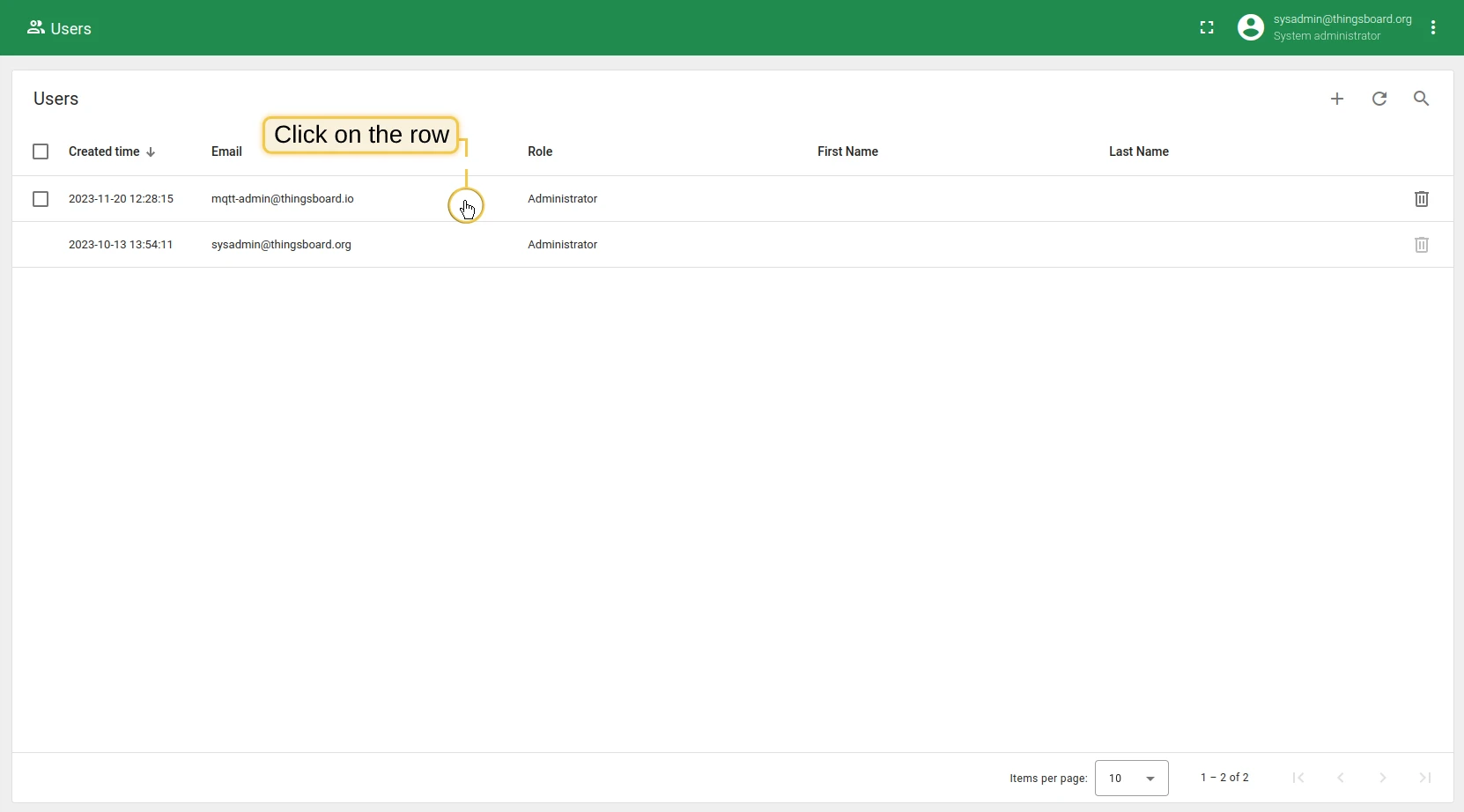
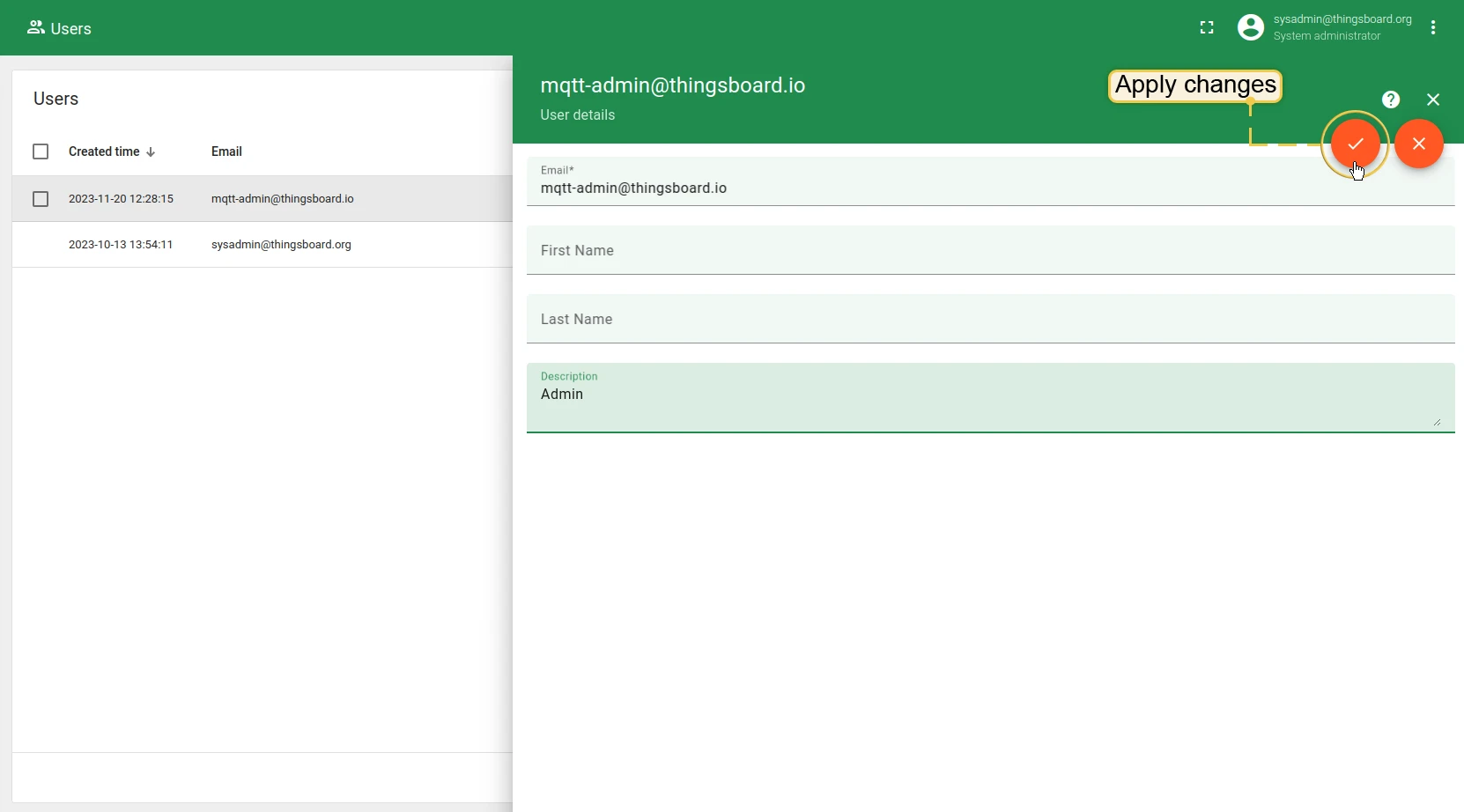
Section titled “Edit user”- Locate the user in the Users table and click on the row.
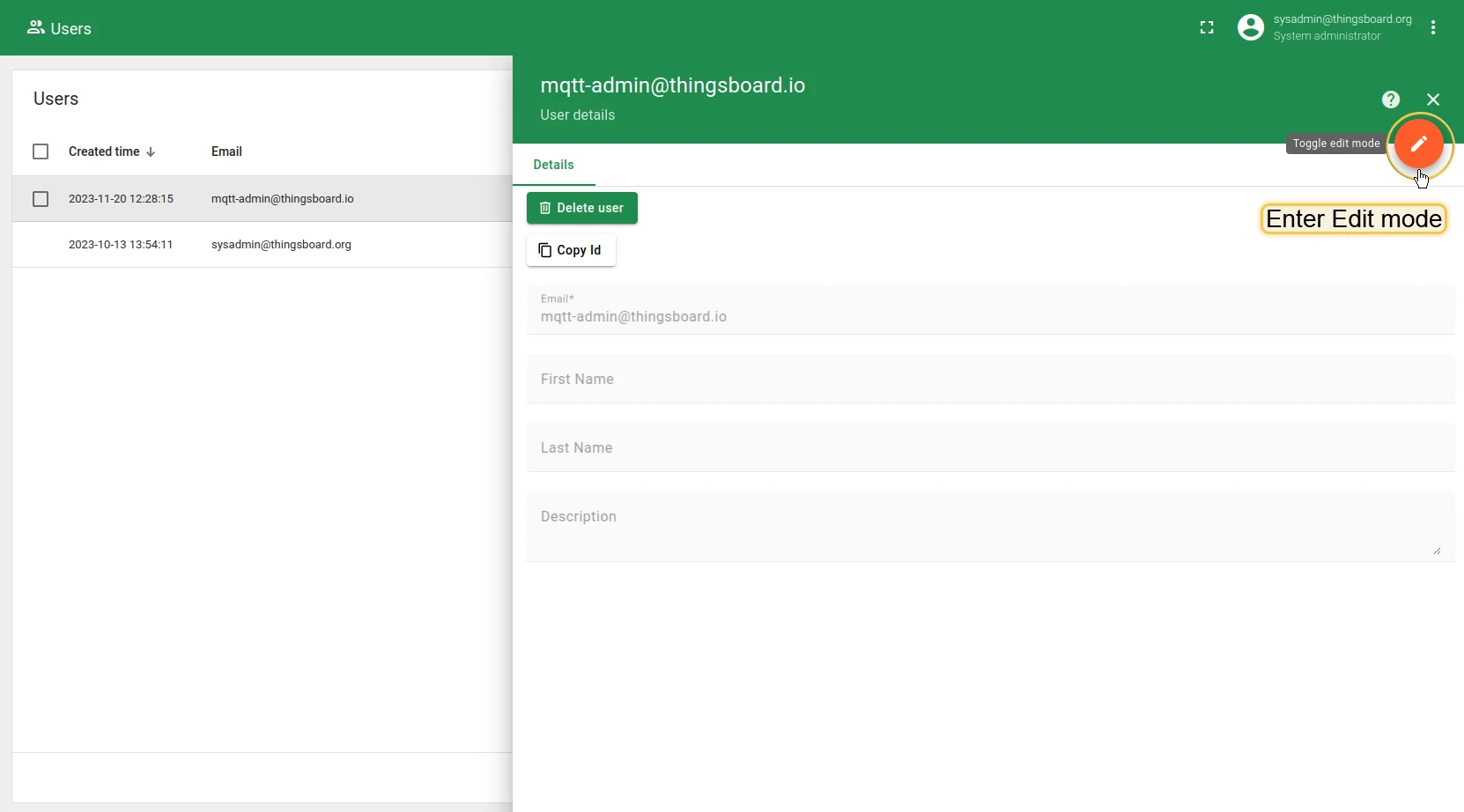
- Click the Toggle edit mode button.
- Modify the first name, last name, or description, then click Apply changes.
Delete user
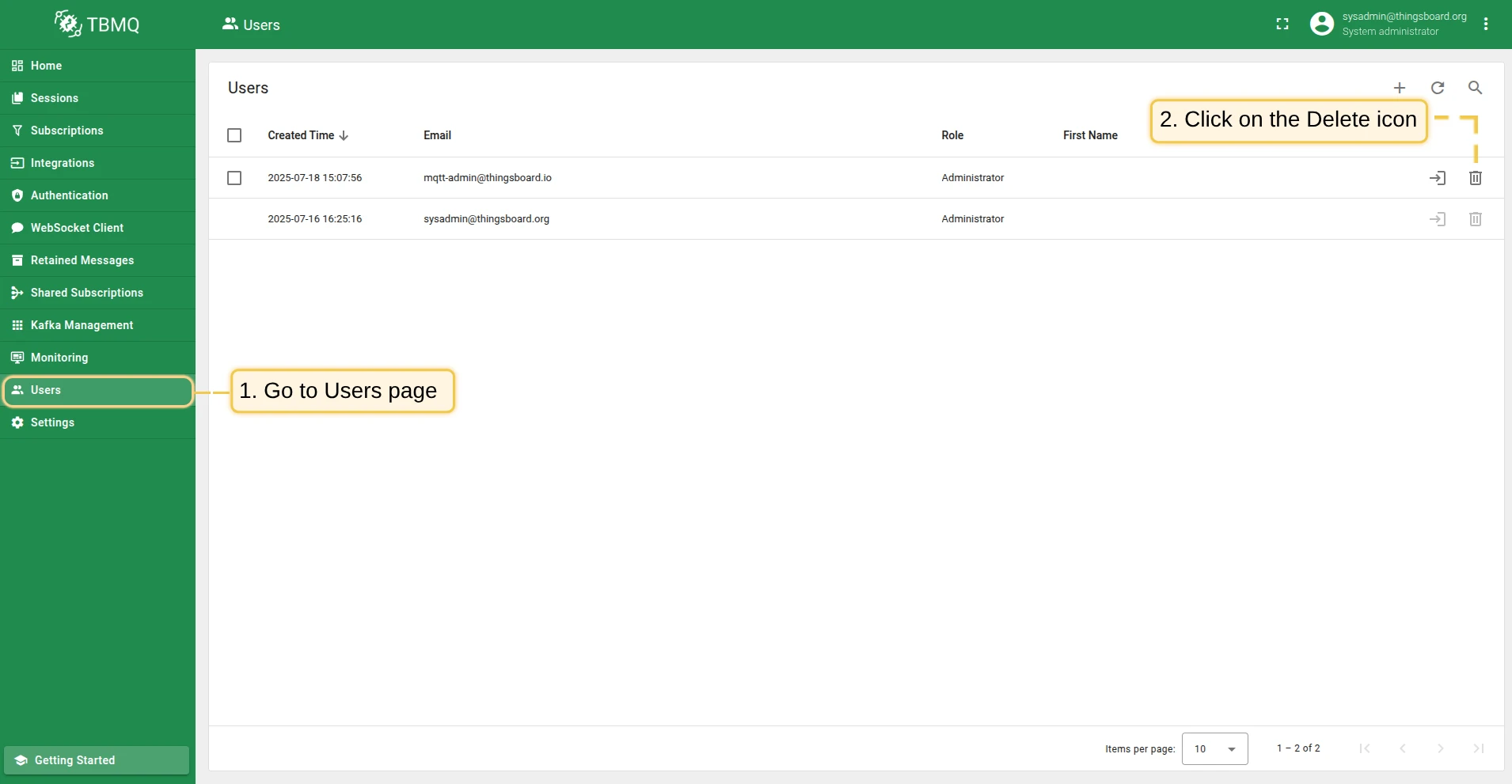
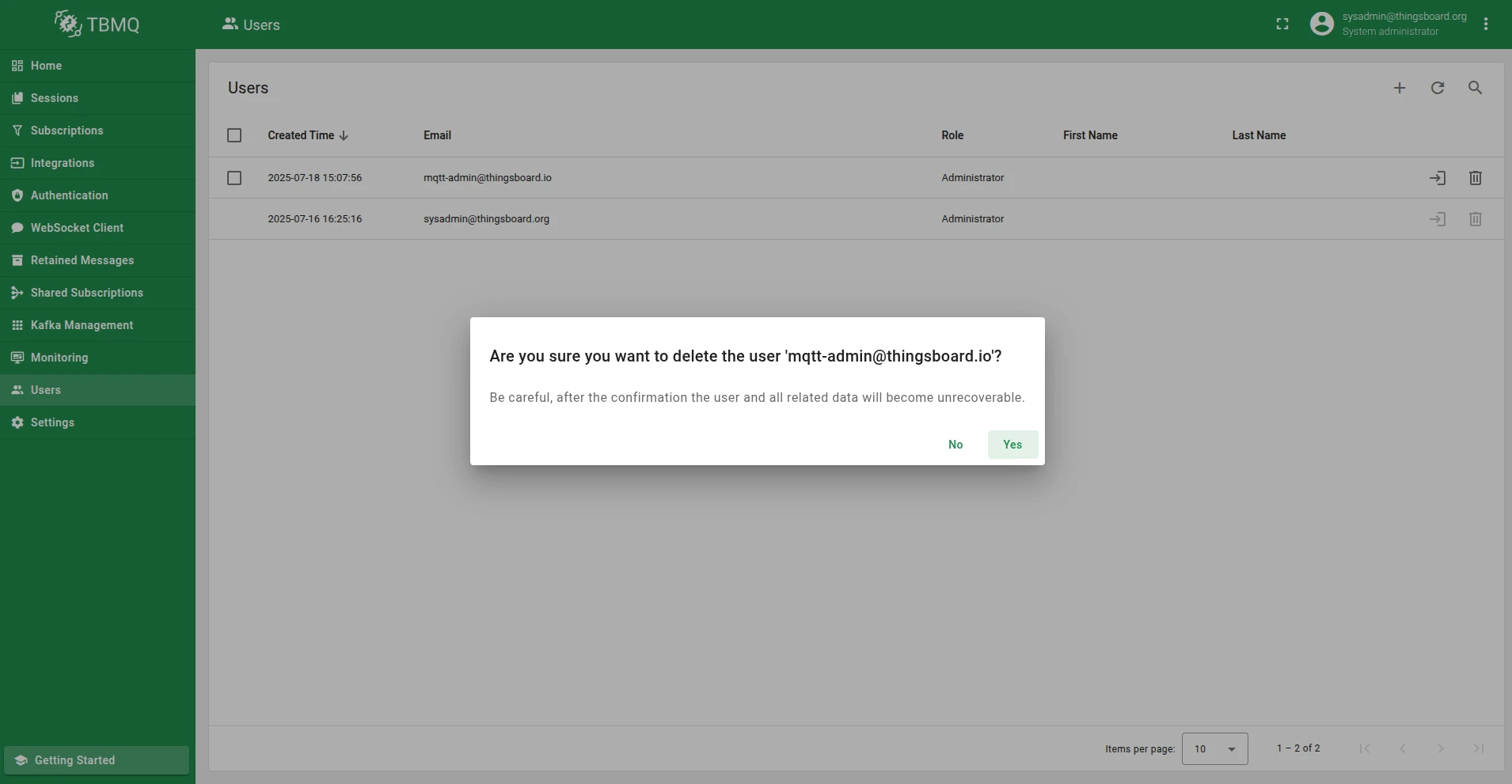
Section titled “Delete user”A logged-in user can delete other users but not themselves.
- Find the user in the Users table and click on the row.
- Click the Delete user button and confirm by selecting Yes.
Login as another user
Section titled “Login as another user”Administrators can log in as other users without requiring their credentials.
The feature is controlled by the SECURITY_USER_TOKEN_ACCESS_ENABLED environment variable (default true); when disabled, the Login button is hidden.
- Find the user in the Users table.
- Click the Login button in the corresponding row.

Was this helpful?
Thank you for your feedback!