
Unauthorized clients
Unauthorized clients are clients that attempted but failed to connect to the MQTT broker — due to bad credentials, incorrect TLS configuration, or other reasons.
Regularly reviewing unauthorized client attempts helps identify potential security threats and misconfigured clients.
Unauthorized clients table
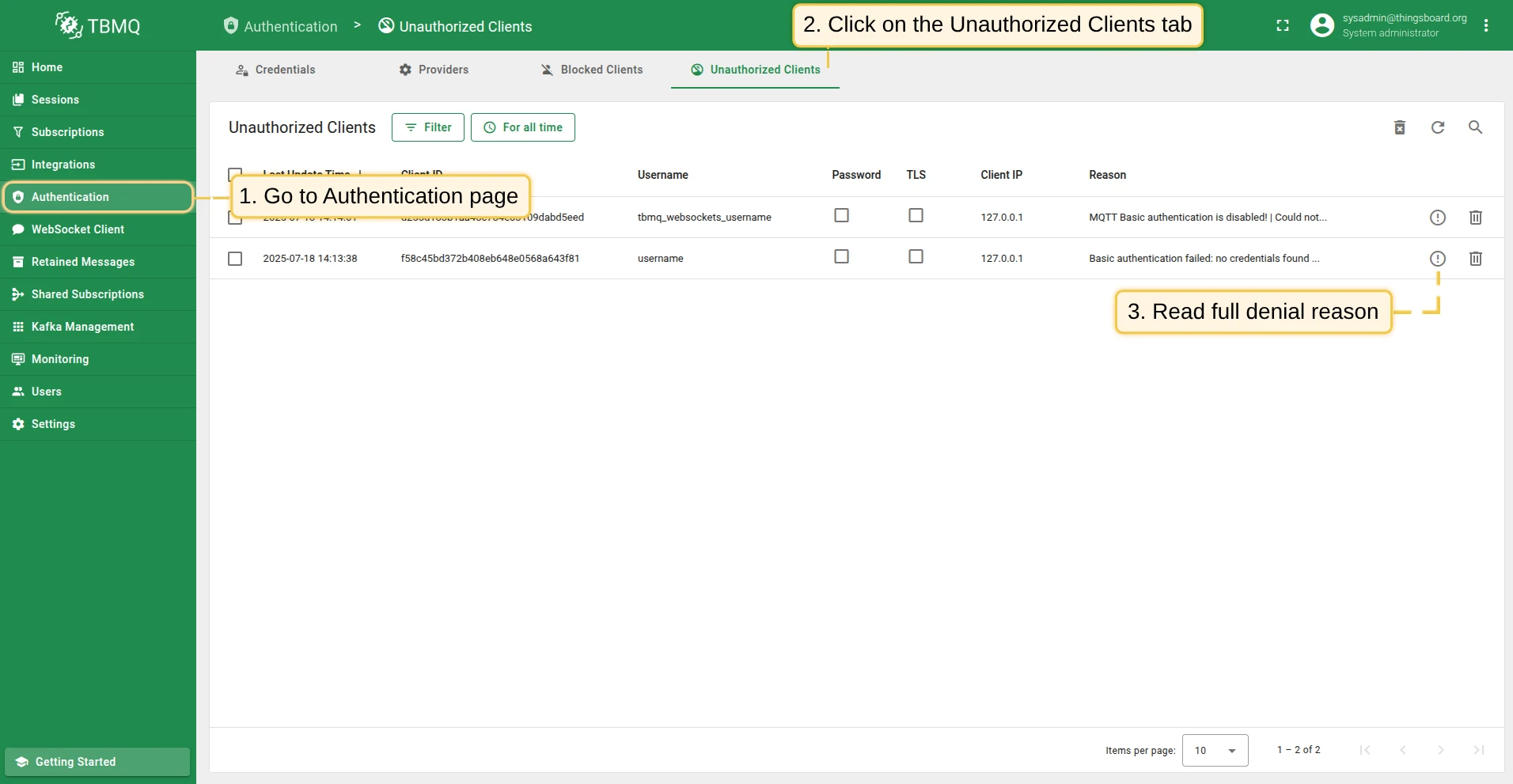
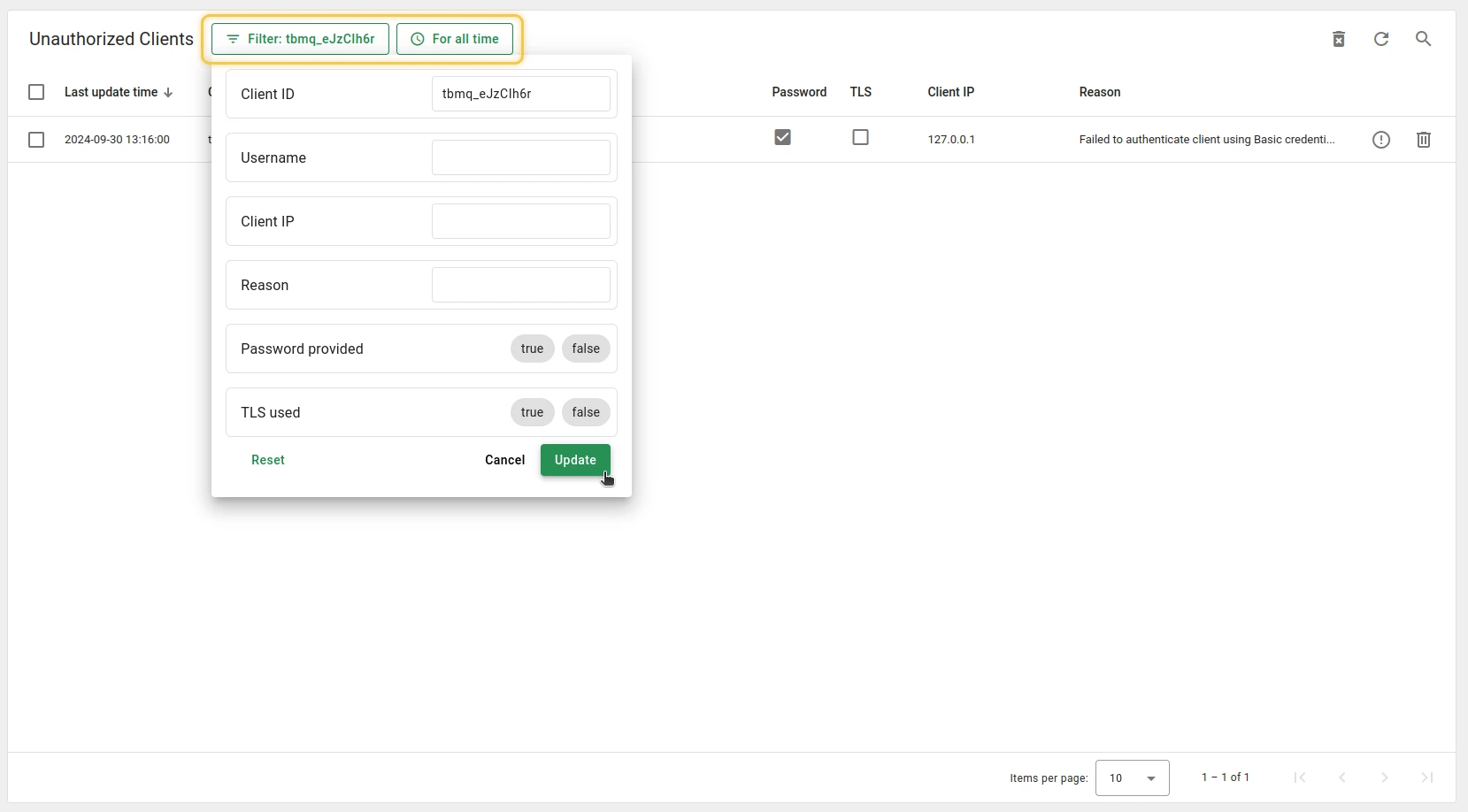
Section titled “Unauthorized clients table”The Unauthorized Clients tab shows a filterable list of all failed connection attempts. Each row contains:
- Last update time — timestamp of the last connection attempt.
- Client ID — unique identifier of the client that attempted to connect.
- Username — the username provided by the client.
- Password — indicates whether a password was provided (true/false).
- TLS — indicates whether TLS was used for the connection attempt (true/false).
- Client IP — the IP address of the client. When TBMQ runs behind a load balancer, enable the proxy protocol to record the real client IP instead of the balancer’s.
- Reason — description of why the client could not connect. Click the Show reason icon to read the full text.
Entries are removed automatically by a TTL cleanup task, controlled by the environment variables SQL_TTL_UNAUTHORIZED_CLIENT_ENABLED (default true), SQL_TTL_UNAUTHORIZED_CLIENT_TTL (default 259200 seconds — three days), and SQL_TTL_UNAUTHORIZED_CLIENT_EXECUTION_INTERVAL_MS (default one day).
Reasons
Section titled “Reasons”Each unauthorized client connection attempt has a specific reason for access denial that TBMQ identifies. The reasons for Basic and X.509 authentication are listed in the tables below.
Failures from the JWT and HTTP providers (e.g., “JWT token is expired.”, “Authentication explicitly denied by the external HTTP service.”) and from SCRAM enhanced authentication appear here as well.
When several providers are enabled and none authenticates the client, the reason contains each provider’s failure joined by |.
Basic credentials
Section titled “Basic credentials”The following reasons indicate why a client could not be authorized using Basic credentials:
| Reason | Cause | Solution |
|---|---|---|
| No Credentials Found | No credentials match the given client ID and username. | Verify the correct client ID and username match stored credentials. |
| Password Does Not Match | The password does not match the credentials for the given client ID and username. | Ensure the client provides the correct password. |
| No Password Provided | No password was submitted for credentials that require one. | Ensure the client includes a password in its authentication request. |
| Cannot Parse Publish-Subscribe Authorization Rules | The authorization rule patterns of the matched credentials cannot be parsed. | Fix the authorization rule patterns of the credentials. |
X.509 certificate chain credentials
Section titled “X.509 certificate chain credentials”The following reasons indicate why a client could not be authorized using SSL/TLS:
| Reason | Cause | Solution |
|---|---|---|
| Failed to Get Client Certificate CN | The server could not extract the client’s certificate CN. | Ensure the client certificate includes a valid CN. |
| X509 Authentication Failure | The certificate chain is not trusted. | Verify the certificate chain is correct and trusted. |
| Peer Identity Not Verified | Missing or invalid client certificate. | Ensure the client certificate is valid and properly configured. |
| No Certificates in Chain | The certificate chain is empty or incomplete. | Provide a complete chain with all intermediate certificates. |
| Failed to Get Certificate CN | CN is missing from one or more certificates. | Ensure each certificate in the chain includes a valid CN. |
| No Authorization Rules for CN | No authorization rules exist for the client’s CN. | Add appropriate authorization rules for the client’s CN. |
| SSL Handler Not Constructed | The server-side SSL handler is not properly initialized. | Check the server configuration for correct SSL handler setup. |
| No Matching X509 Credentials Found | No X.509 credentials match the client’s certificate chain. | Verify the server has the correct X.509 credentials configured. |
| Cannot Parse SSL Credentials | X.509 credentials are malformed and cannot be parsed. | Ensure the credentials are correctly formed. |
Manage unauthorized clients
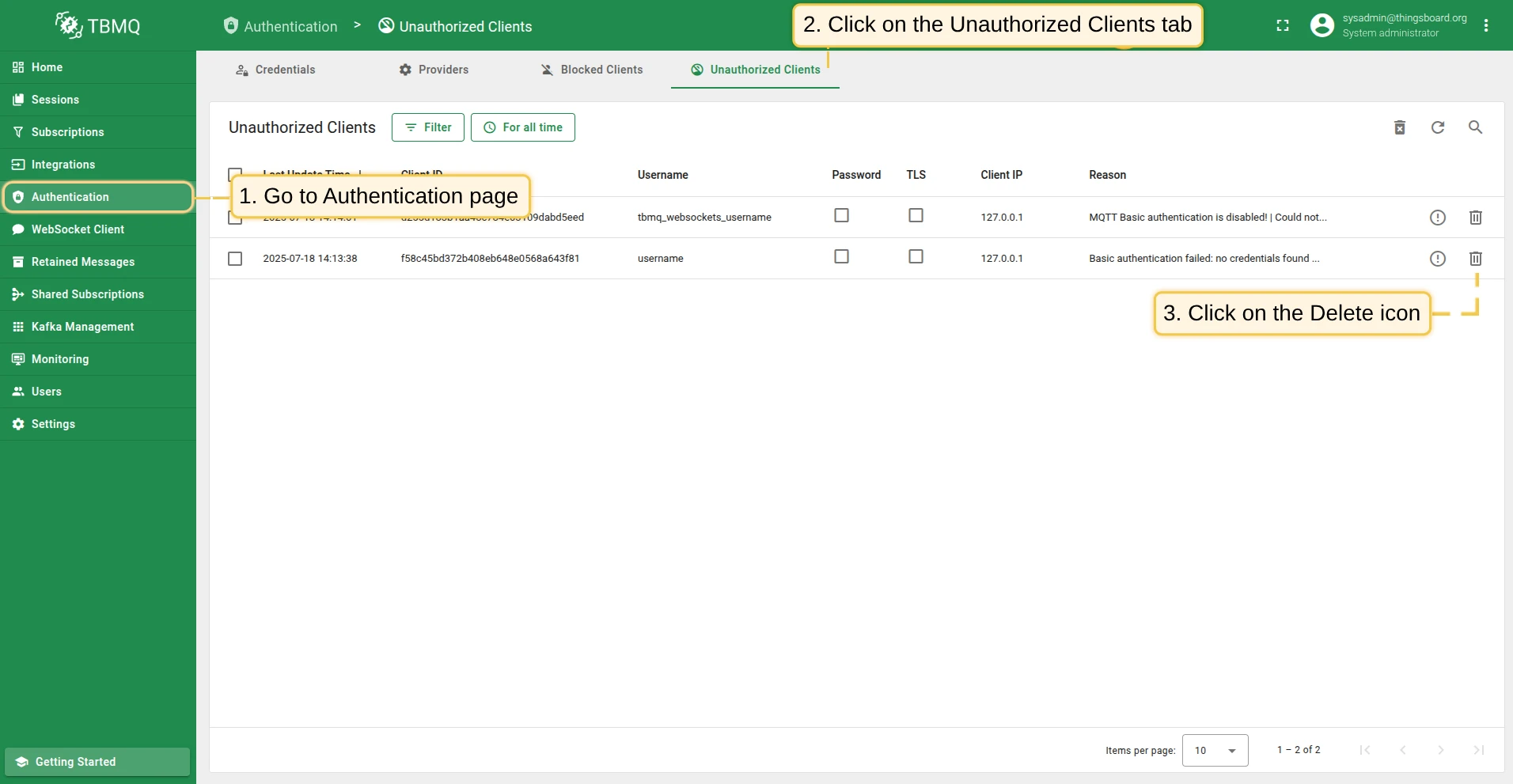
Section titled “Manage unauthorized clients”To delete a single unauthorized client:
- Find the client in the Authentication → Unauthorized Clients table and click the Delete icon.
- Confirm by clicking Yes.
To delete several unauthorized clients at once, select them using the checkboxes and click the Delete icon in the top right corner.
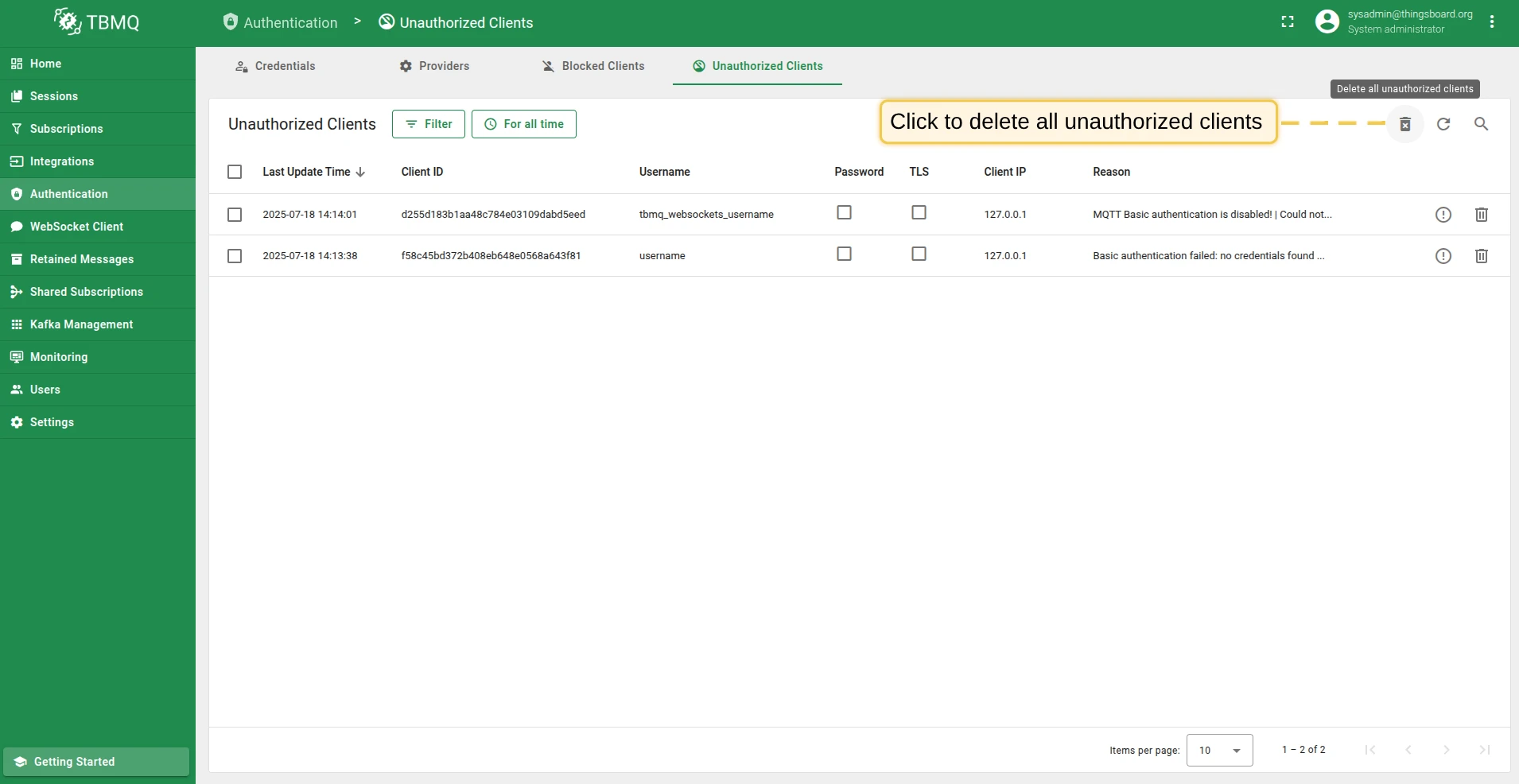
To delete all unauthorized clients:
- Click the Delete all unauthorized clients button.
- Confirm by clicking Yes.
Was this helpful?